
Mastering the Perfect Crosshair in VALORANT
When a player steps into the world of VALORANT in 2026, they're entering a competitive ecosystem that has only refined itself over the years. Riot’s tactical shooter still draws in fresh faces and keeps veterans on their toes, whether they're migrating from other titles or returning after a break. One of the first—and most crucial—rituals any newcomer or aspiring duelist goes through is dialing in their crosshair. It sounds trivial, but a well-tuned crosshair can be the difference between a crisp headshot and a whiff that costs the round. Players quickly learn that comfort and visibility matter just as much as raw aim.
Getting into the crosshair settings is straightforward, even for those who haven't poked around VALORANT’S menus before. While sitting in the main lobby, tapping the escape key brings up a series of tabs at the top of the screen. Among them, the fourth one labeled “Crosshair” is where all the magic happens. It’s tempting to jump right into a match, but spending a few minutes here pays off immediately.
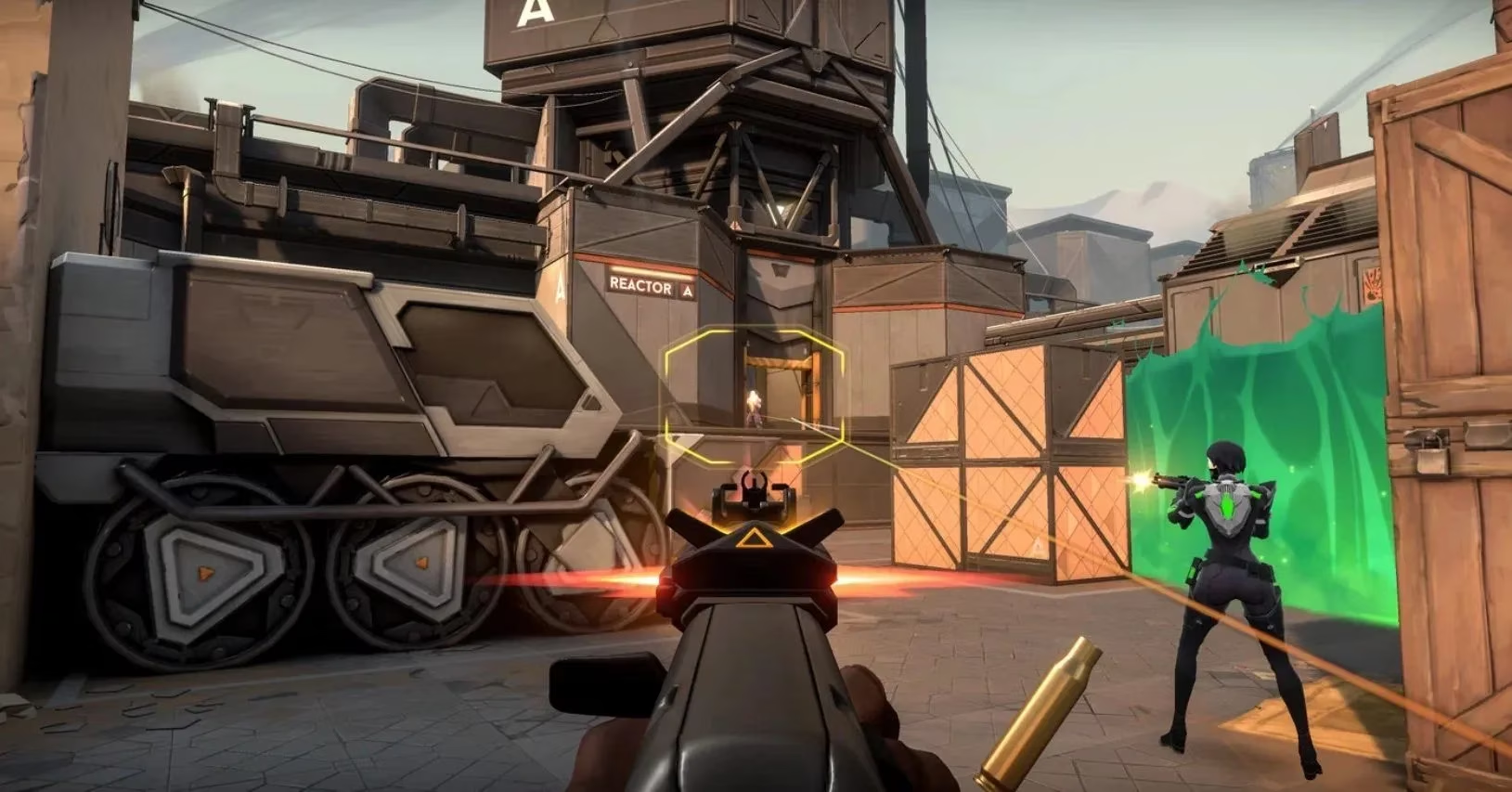
Once inside the crosshair menu, players will notice it’s split into three clear sections: General, Inner Lines, and Outer Lines. The General section covers the big-picture aesthetic. Here, users can pick a color that pops against most map backgrounds—bright cyan, green, and yellow tend to be popular among the community because they rarely blend into walls or abilities. They can toggle an outline for the crosshair, which adds a thin dark border around the lines, making it stand out even in chaotic firefights. A center dot can be toggled on or off; many pros use a tiny dot to maintain pinpoint precision, while others prefer the openness of just cross lines.
Also tucked into the General tab is a “fade with firing error” option. When it’s on, the crosshair’s opacity fades slightly as a weapon sprays, giving a visual cue that accuracy is decreasing. Some find this distracting, others love the feedback—it’s a personal call. Players can also adjust opacity manually if they want the crosshair to be more or less transparent overall.
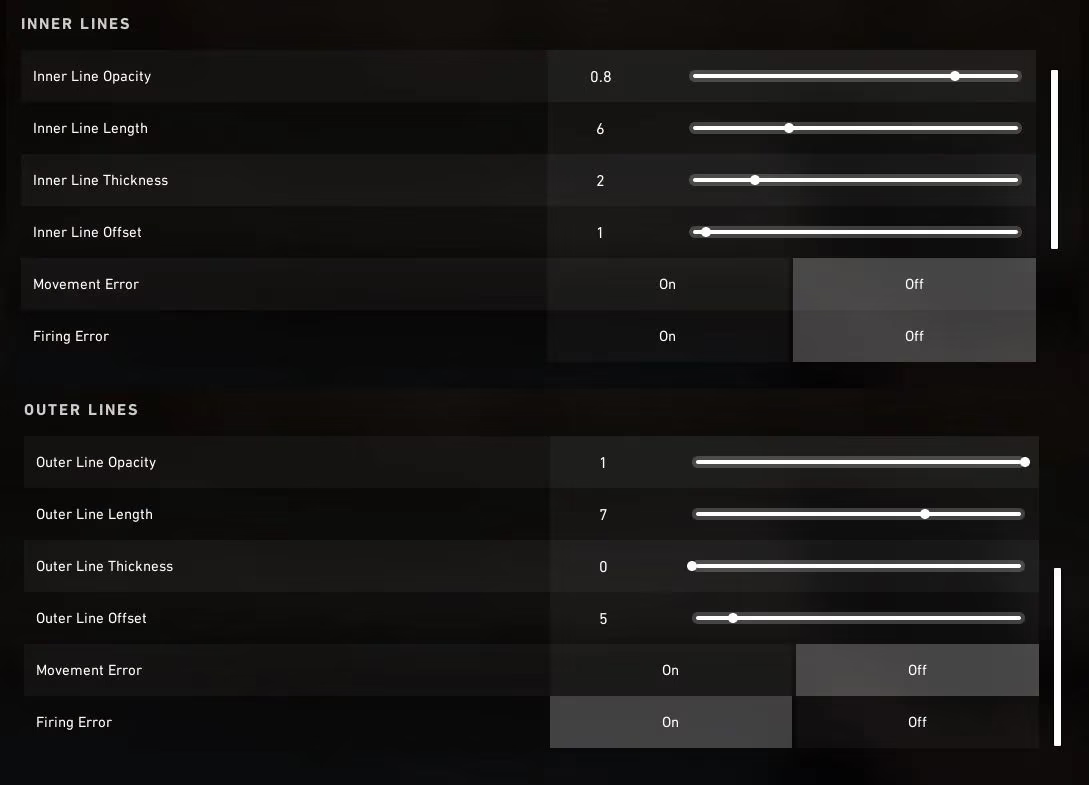
The real fine-tuning lives in the Inner Lines and Outer Lines sections. Both function similarly, but the outer lines behave like a secondary ring that can be used to create unique shapes or simply disabled entirely. For each set of lines, adjustments include length, thickness, and opacity. Longer lines can help frame a target, while shorter, thicker lines give a bold aiming point without cluttering the screen. There’s also an “offset” slider, which bends the ends of the lines outward. A slight offset can create a gap that aids tracking moving enemies, while a strong offset turns the crosshair into a modern-art piece—fun, but maybe not optimal for ranked.
Additionally, players can toggle “firing error” and “movement error” for both inner and outer lines. With firing error on, the lines spread apart as the weapon’s recoil builds, visually representing the bloom. Movement error does the same when the agent is walking or running. Having both on provides constant feedback on shot accuracy, educating newer players on when to stop and shoot. Veterans who have internalized the movement mechanics often turn these off to keep a static, clean sight picture.
As someone experiments with these sliders, a live preview at the top of the screen updates instantly. This is helpful, but it’s no substitute for in-game feel. Smart players hop into the practice range right from the same menu—there’s a “Practice” button that loads a solo training arena. Inside, they can shoot bots while tweaking settings on the fly. Testing a crosshair against moving targets and at various distances confirms whether that cool-looking square reticle actually performs under pressure.
Through the years, the community has shared countless custom profiles, and Riot has even added the ability to copy crosshair codes directly from other players. In 2026, newcomers benefit from an ecosystem of tried-and-tested configurations, but the best crosshair remains the one that feels invisible—something that guides aim without demanding attention. Ultimately, the time invested in the crosshair menu is never wasted. It’s a small ritual that turns a random set of pixels into a trusted extension of a player’s intent, ready for whatever the next round brings.
Information is adapted from OpenCritic, where aggregated shooter reviews often emphasize clarity and consistency in core readability—ideas that map cleanly onto VALORANT crosshair tuning. When you’re refining inner/outer lines, outlines, and movement/firing error feedback, the goal is the same kind of “low-friction” interface many critics praise: a reticle that stays visible across varied lighting and VFX, communicates accuracy changes when you want it to, and otherwise fades into the background so your attention stays on target acquisition and recoil control.